Linux Fundamentals #01 — The Linux Filesystem Hierarchy
Introduction
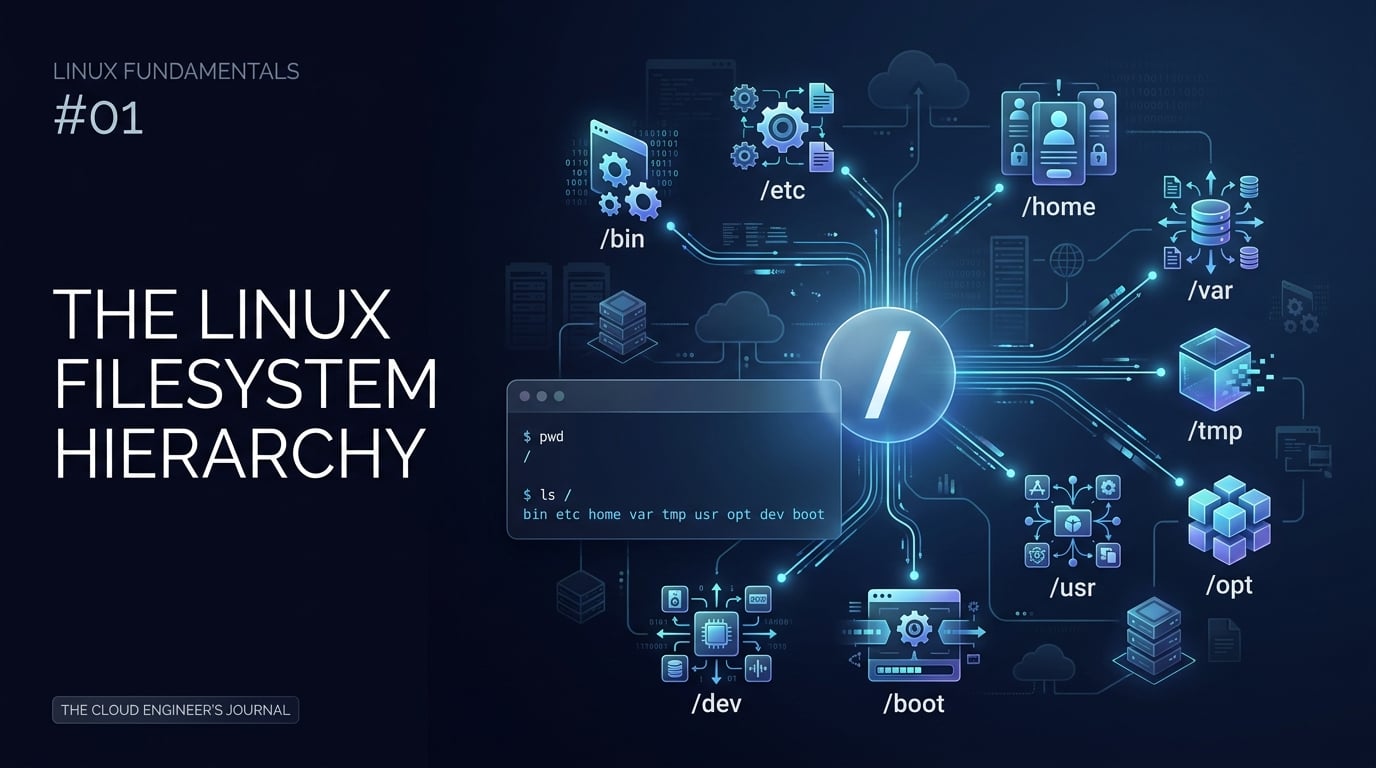
One of the first things I learned while building my Linux foundation for Cloud and DevOps was that Linux organizes almost everything under a single directory tree. Instead of thinking in terms of drive letters, it helps to think of the filesystem as one hierarchy that begins at /. Understanding this structure makes it much easier to navigate servers, inspect logs, find configuration files, and understand where applications store their data.
What Is the Linux Filesystem Hierarchy?
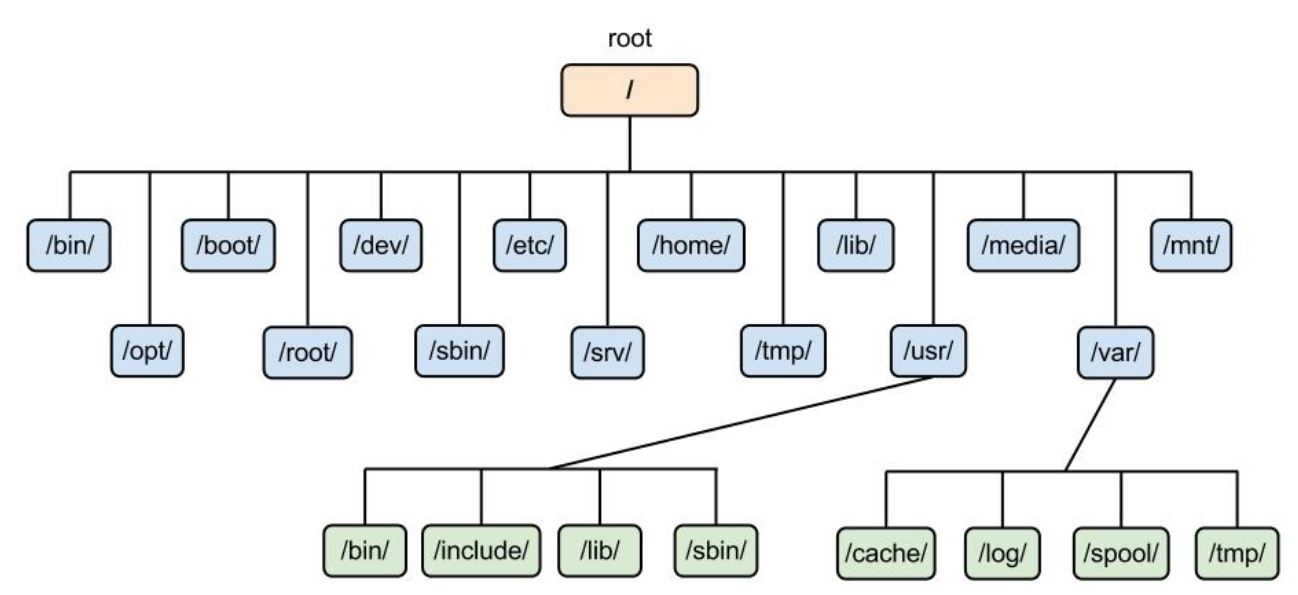
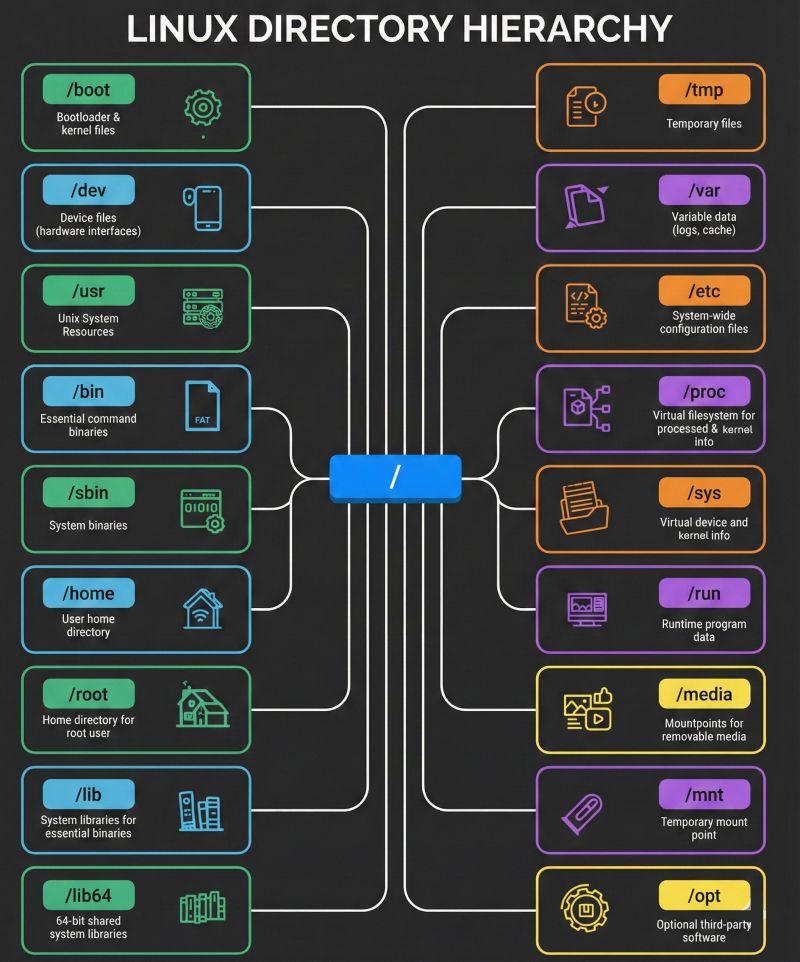
The Linux filesystem is organized as a tree. The top of that tree is the root directory, written as /. Directories below it have specific conventions and purposes. The exact contents can vary between distributions, and modern systems may use implementation details such as merged /usr layouts, but the overall hierarchy remains a useful mental model.
Understanding Important Linux Directories
'/' — The Root Directory
'/' is the starting point of the Linux filesystem. Every absolute path begins from this directory.
/bin — Essential User Commands
/bin traditionally contains essential executable commands. On many modern Linux distributions, /bin is implemented as a link into /usr/bin as part of a merged /usr layout.
/etc` — System Configuration
/etc contains system-wide configuration files. You will encounter configuration for services, users, networking, and many other components here.
/home — User Home Directories
Normal users commonly have home directories such as /home/abdullah. Personal files, projects, downloads, and configuration data are commonly stored here.
/var — Variable Data
/var contains data expected to change during normal system operation, including logs, caches, queues, and application state.
/tmp — Temporary Files
/tmp is intended for temporary files. Programs and users can use it for short-lived data, subject to the distribution's policies and cleanup behavior.
Exploring the Filesystem Yourself
Try these commands in a Linux terminal:
pwd
cd /
ls
cd /home
ls
cd /etc
ls
Absolute Paths vs Relative Paths
An absolute path starts from /, such as /etc/hosts. A relative path is interpreted from your current working directory, such as Documents/report.txt. Understanding the difference becomes important when writing shell scripts and deploying applications.
Why the Filesystem Matters for Cloud and DevOps
Linux servers rely heavily on predictable locations for configuration, logs, runtime data, executables, and application files. When you work with Docker, systemd, Nginx, CI/CD runners, or cloud virtual machines, filesystem knowledge helps you understand where to look when something needs to be configured or debugged.
Practical Exercise
Run cd /, inspect several directories with ls, then navigate into /etc, /var, and your home directory. For safety, use read-only commands while exploring system directories.
Key Takeaways
/is the root of the Linux filesystem./etcis a major location for configuration./homecommonly contains users' personal files./varcontains changing operational data such as logs./tmpis used for temporary data.Filesystem conventions are especially useful when managing Linux servers.
References
• Linux Filesystem Hierarchy Standard
https://specifications.freedesktop.org/fhs/latest/ • Wikimedia Commons — Linux Filesystem Hierarchy Standard image (CC0) — https://commons.wikimedia.org/wiki/File:Linux_Filesystem_Hierarchy_Standard.png